Getting started with the CS Tech Fitness App
Step 1
Step 2
Sign in to Google Fit with a Google Account
It is important that the same Google Account is used in later steps, so be sure to remember which one you used!
Step 3
Step 4
Connect the Mi Fit App to Google Fit
If you sign in to Mi Fit with a Google sign in this should be done automatically. Otherwise it should be done from Profile -> Settings -> Account and security
Step 5
Step 6
Click the "Login with Google" button, and select the same account used in Step 2
Step 7
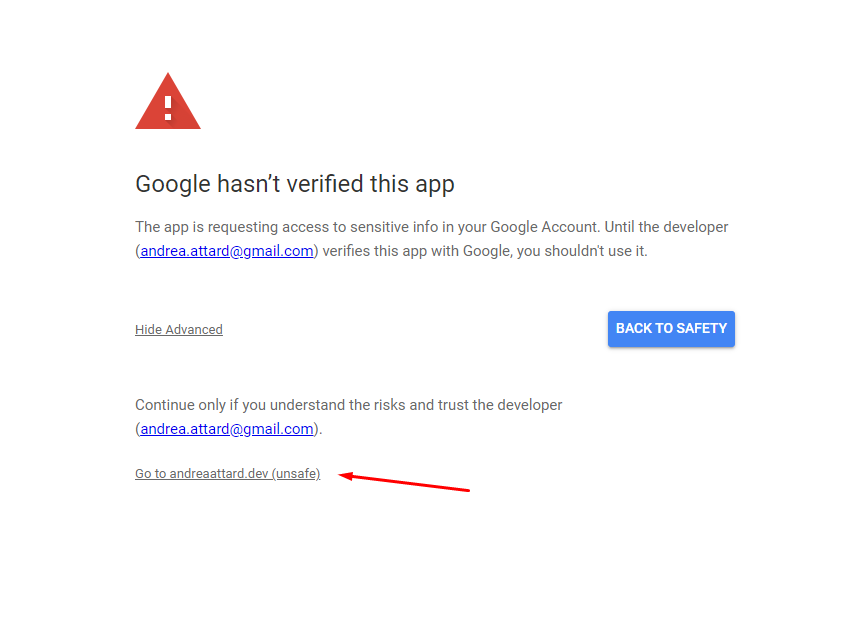
Expand the ‘Advanced’ tab and click on the marked link
Step 8
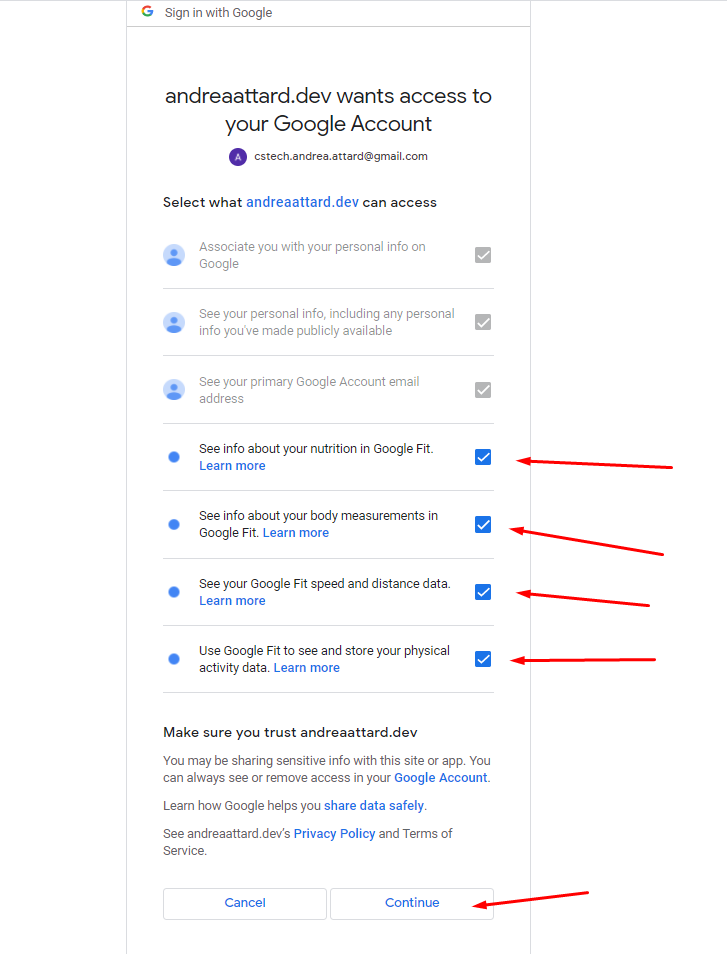
Tick all boxes, and click Continue
Step 9
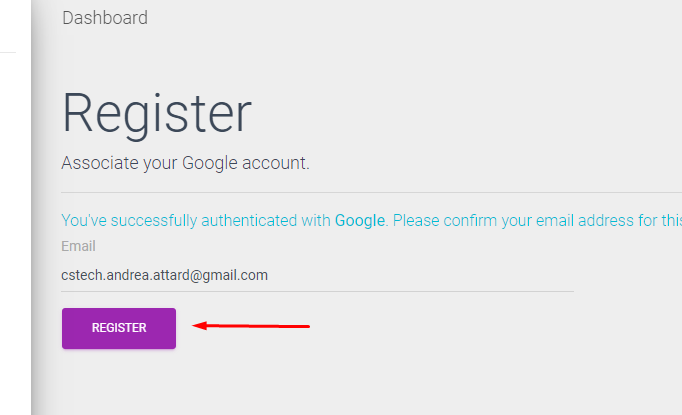
Click Register
Step 10
You're done!
Now you should be able to view the Dashboard, join a Team, and visit the My Stats page to start uploading your stats! (consent is required)